Synapse App SDK
The Synapse App SDK provides the tools to build custom C++ applications to deploy on Synapse devices, such as SciFi. The SDK handles inter-process communication, performance profiling, and configuration management, allowing you to focus on your application logic. See the SDK Reference for a list of all classes and methods.
This page covers:
- Defining your app class
- Receiving broadband frames
- Basic signal processing (filtering, spike detection)
- Sending processed data to a client
The Advanced Patterns page contains instructions on how to receive data from a client into your app, how to profile, and other advanced features.
To begin, use the Synapse App tutorial to clone or fork the synapse-example-app repository.
App Class
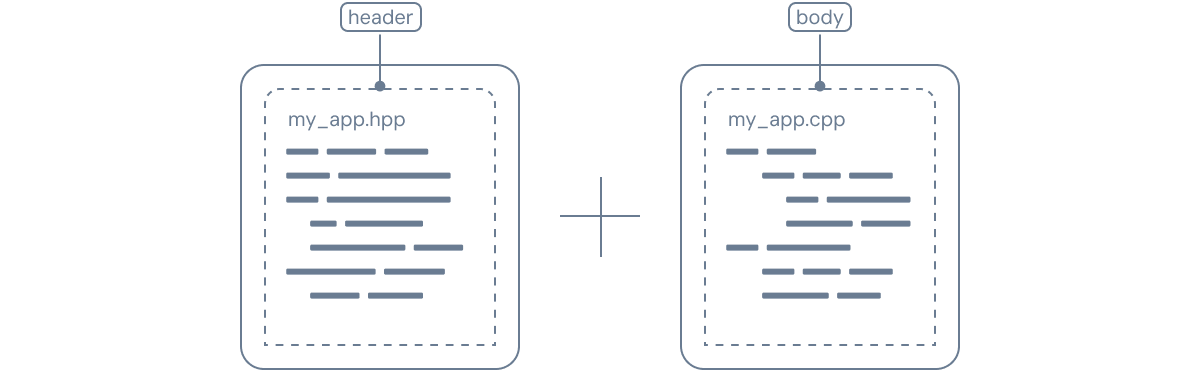
A Synapse App is a C++ class that inherits from synapse::App. You need two files: a header (.hpp) that declares your class and a body file (.cpp) that implements it.
// my_app.hpp
#pragma once

#include <synapse-app-sdk/app/app.hpp>

namespace app {
class MyApp : public synapse::App {
  public:
    MyApp() = default;

    // Called once at startup — initialize readers, taps, and state
    virtual bool setup() override;


  protected:
    // Main processing loop — runs in its own thread
    virtual void main() override;
};
}  // namespace app
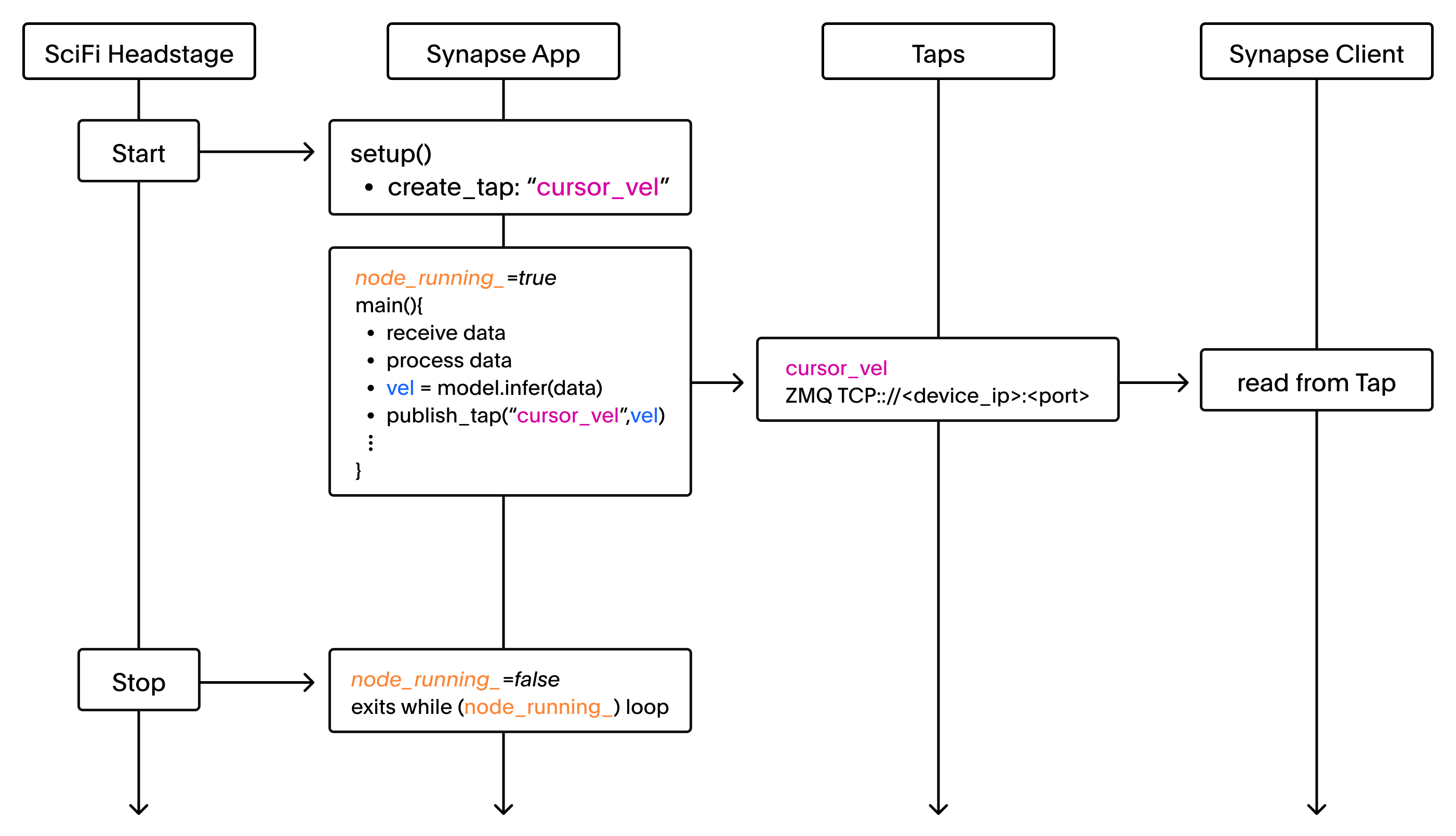
Entrypoint<T>() calls setup() once at startup and runs your main() loop — see App Lifecycle for the full sequence.
// main.cpp
#include <synapse-app-sdk/app/app.hpp>
#include "my_app.hpp"

int main(const int, const char**)
{
  return synapse::Entrypoint<app::MyApp>();
}
When the device starts, setup() runs once and main() begins looping. Data published to a Tap streams to clients over ZMQ until the device stops and node_running_ becomes false, exiting the loop.
Setup
The setup() function initializes readers for incoming data, creates taps for output, and configures any profiling or state your app needs. Return true to proceed or false to abort.
// my_app.cpp
#include "my_app.hpp"

namespace app {
bool MyApp::setup() {
  // Validate this app's configuration before using it
  synapse::ApplicationNodeConfig app_config;
  if (!get_app_config(
          [this](const synapse::ApplicationNodeConfig& config) {
            return validate_config(config);
          },
          app_config)) {
    spdlog::error("Invalid application configuration");
    return false;
  }

  // Set up a reader for broadband data from node 1
  const uint32_t broadband_node_id = 1;
  if (!setup_reader(broadband_node_id)) {
    spdlog::error("Failed to set up broadband reader");
    return false;
  }

  // Create a tap to stream processed output to a client
  if (!create_tap<synapse::Tensor>("output")) {
    spdlog::error("Failed to create output tap");
    return false;
  }

  return true;
}
See App Lifecycle for more on reading device configuration.
Calling setup_reader() initializes data_reader_, a protected member inherited from synapse::App that pulls frames from the node. The example below initializes data_reader_ to subscribe to output from the broadband node, then it parses each message into broadband frames.
void MyApp::main() {
  while (node_running_) {
    // Wait for all the data in this message sequence
    auto messages = data_reader_->receive_multipart();
    if (messages.empty()) {
        // Wait for more messages, but don't spin the CPU
        std::this_thread::sleep_for(std::chrono::microseconds(1));
        continue;
    }

    // Parse each message into broadband frames
    for (auto& message : messages) {
      const auto broadband_frame =
        synapse::parse_protobuf_message<synapse::BroadbandFrame>(std::move(message)).value();
    }
  }
}
SDK functions
There are four categories of SDK functions used to process data:
- Readers pull data in from upstream nodes
- Taps push data out to other nodes or external clients
- DSPs provides signal processing building blocks for what happens in between
- Utilities handle the lower-level support processes
Readers
Readers connect your app to upstream nodes within the signal chain, pulling data inward from node to app. To send data to an external client, use Taps instead.
setup_reader
Subscribes to output from the node with id node_id. Returns true on success.
bool setup_reader(const uint32_t node_id);The example below identifies the node creation status and returns a warning if setup_reader fails.
const uint32_t broadband_node_id = 1;
if (!setup_reader(broadband_node_id))
{
  spdlog::warn("Failed to set up reader for controller");
  return false;
}
Taps
Taps stream data from a node to another node or external client, and can be placed at multiple stages in your app to monitor the data processing at each step.
create_tap
Creates an output tap named name. T can be any Synapse datatype. Returns true on success.
bool create_tap<T>(const std::string &name);The example below creates a tap called "joystick_out" of type synapse::Tensor.
if (!create_tap<synapse::Tensor>("joystick_out"))
{
  spdlog::warn("Failed to create tap for joystick out");
  return false;
}
return true;
publish_tap
Publishes message to the tap named name. Returns true on success.
bool publish_tap<T>(const std::string &name, const T &message);The example below publishes output_tensor to the tap named "joystick_out".
if (publish_tap("joystick_out", output_tensor))
{
  spdlog::info("Published tensor: [x,y]: [{},{}]", tensor_data[0], tensor_data[1]);
}
else
{
  spdlog::warn("Failed to publish tensor data");
}
DSP
The SDK includes optimized implementations of common signal processing operations for use within your app, including filtering and spike detection.
Filters
Creates a bandpass filter instance with a given sample rate and cutoff frequencies. Returns nullptr if creation fails.
std::unique_ptr<synapse::BaseFilter> synapse::create_bandpass_filter<int FilterOrder>(
    const float sample_rate_hz,
    const float low_cutoff_hz,
    const float high_cutoff_hz);
The example below creates a bandpass filter with a 200–5000 Hz passband at 32 kHz.
const float low_cutoff_hz_ = 200.0;
const float high_cutoff_hz_ = 5000.0;
static constexpr int kSpectralFilterOrder = 2;
float sample_rate_hz_ = 32000.0;

auto filter_ptr = synapse::create_bandpass_filter<kSpectralFilterOrder>(
    sample_rate_hz_, low_cutoff_hz_, high_cutoff_hz_);
if (filter_ptr == nullptr)
{
  spdlog::error("Failed to create filter for channel: {}", channel_index);
}
The example below applies the filter to a single sample.
const float filtered_data = filter_ptr->filter(frame_data[channel_id]);Threshold Detection
Creates a spike detector instance with a given threshold, waveform size, refractory period, and sample rate. Returns nullptr if creation fails.
std::unique_ptr<synapse::BaseSpikeDetector> synapse::create_threshold_detector(
    const float threshold,
    const uint32_t waveform_size,
    const uint64_t refractory_us,
    const float sample_rate_hz);
The example below creates a spike detector with a 50 μV threshold at 32 kHz.
const float spike_threshold_ = 50.0;         // Threshold in microvolts
const uint32_t waveform_size_ = 50;          // Total samples per waveform
const uint64_t refractory_period_us_ = 1000; // 1ms refractory period
float sample_rate_hz_ = 32000.0;

auto detector_ptr = synapse::create_threshold_detector(spike_threshold_, waveform_size_,refractory_period_us_, sample_rate_hz_);

if (detector_ptr == nullptr)
{
  spdlog::error("Failed to create spike detector for channel: {}", channel_index);
}
The example below detects a spike in a single filtered sample.
synapse::SpikeEvent *spike_event =
    detector_ptr->detect(filtered_data, frame_timestamp_ns, channel_id);

if (spike_event != nullptr)
{
  detected_spikes_.push_back(spike_event);
  spike_counts[channel_id]++;
}
Utilities
parse_protobuf_message
Extracts and parses a protobuf message of type T from a ZeroMQ message. Returns std::nullopt if parsing fails.
#include <synapse-app-sdk/middleware/conversions.hpp>

std::optional<T> synapse::parse_protobuf_message<T>(zmq::message_t message);
The example below parses a BroadbandFrame from each message in a multipart receive, handling the case where parsing fails.
frames.reserve(frames.size() + messages.size());

// Process each received message in this multipart
for (auto &message : messages)
{
  // Parse the message into a BroadbandFrame
  const auto maybe_frame = synapse::parse_protobuf_message<synapse::BroadbandFrame>(std::move(message));
  if (!maybe_frame.has_value())
  {
    spdlog::warn("Failed to parse broadband frame");
    // If we have no frames at all, return false
    if (frames.empty())
    {
      return false;
    }
    // Otherwise, return what you have so far
    return true;
  }

  const auto &broadband_frame = maybe_frame.value();
}