Manage Synapse Apps
Synapse Apps are custom applications that run directly on your device as a node in your signal chain. They can process neural data, run inference, or trigger stimulation in real time.
Open the Apps tab to call ListApps and view each installed application's name and version.
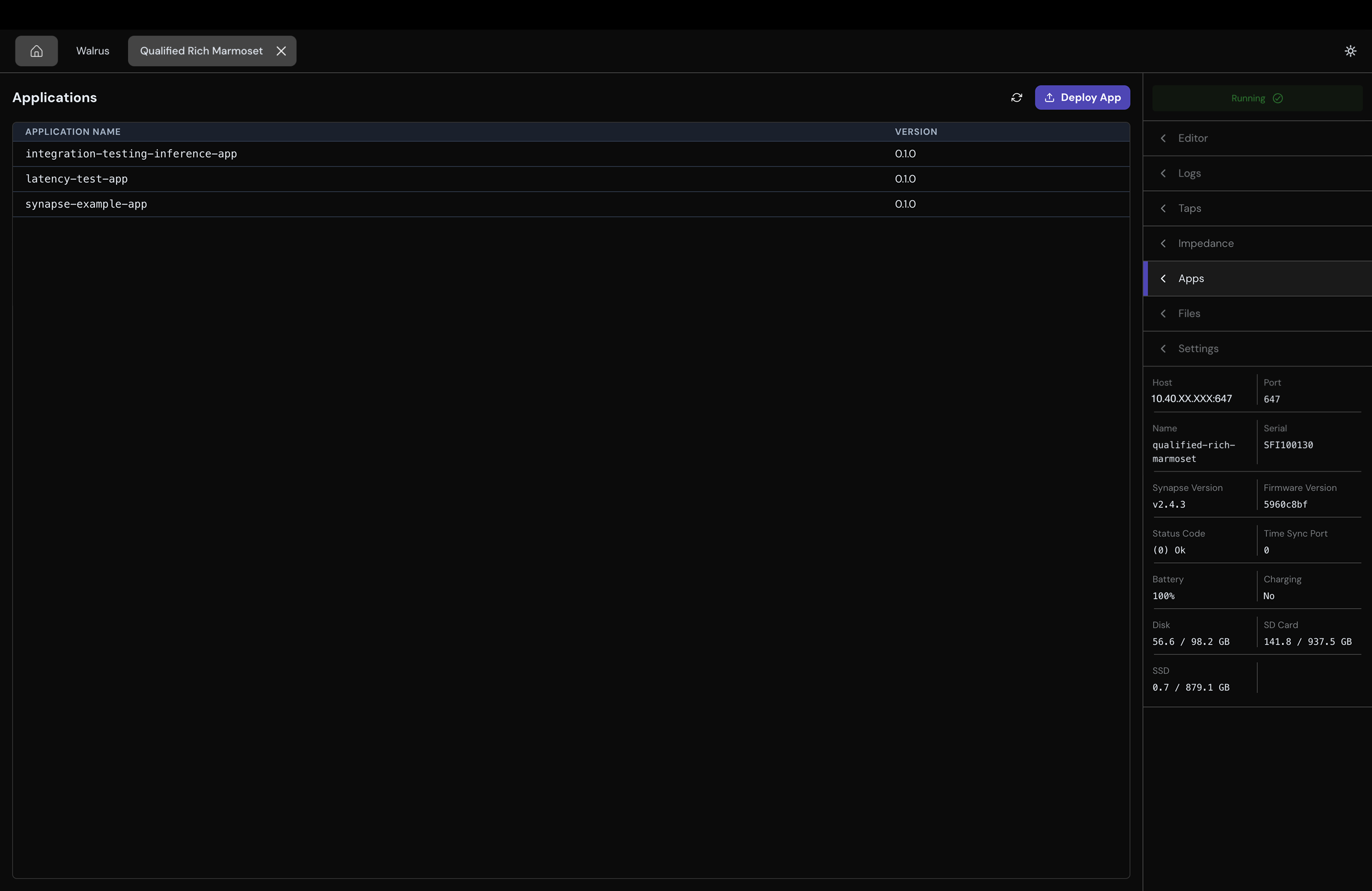
To deploy an App:
- Build a Debian
.debpackage by following the Synapse App SDK. - Select Deploy App.
- Choose the
.debpackage. - Wait for the upload and deployment to finish.
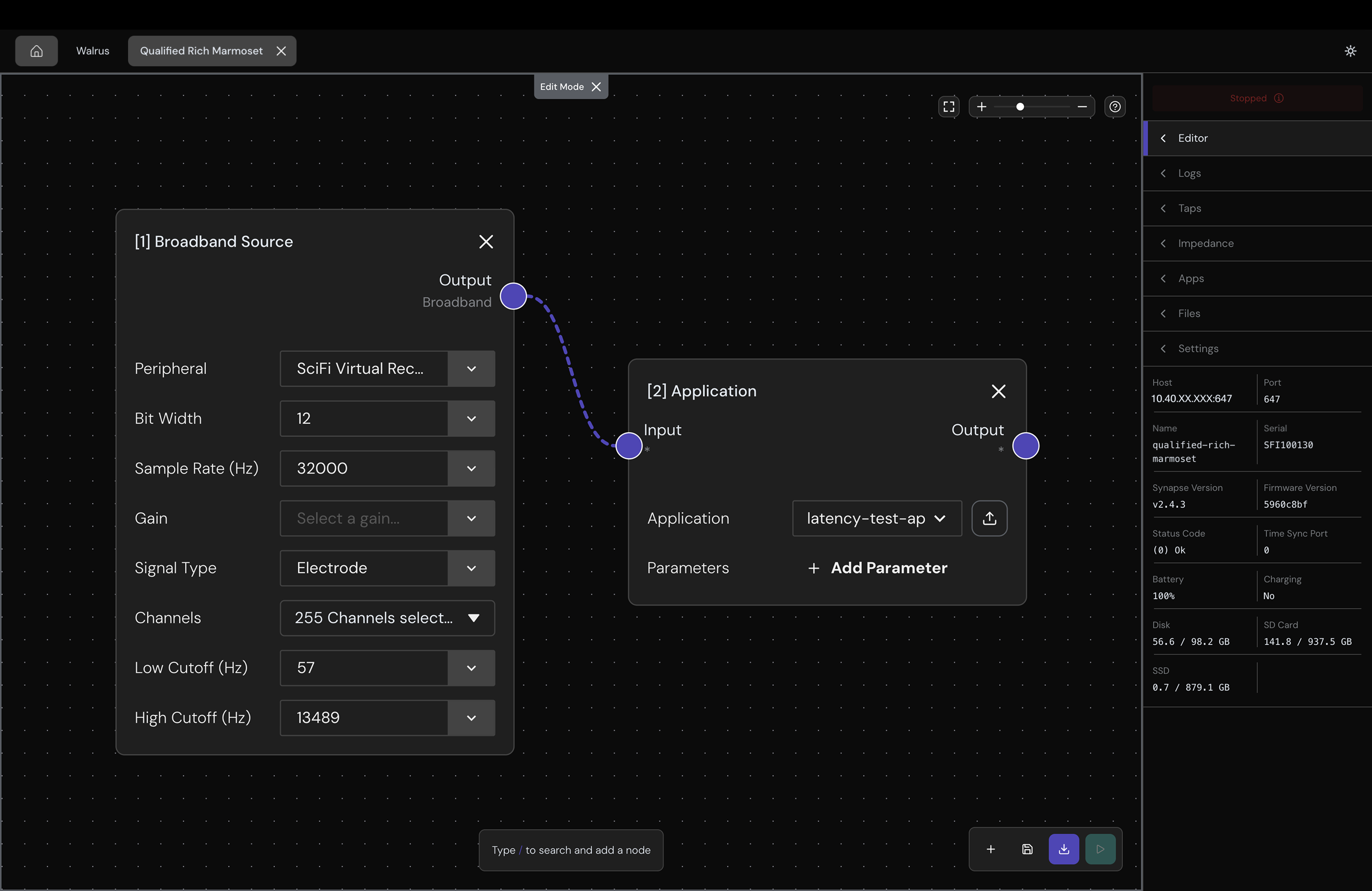
- Once deployed, you can add your Synapse App into your signal chain just like any other node in the editor tab.
Browse Device Files
Open the Files tab to browse the user-owned filesystem.
The first connection will prompt you for the device's Disk Writer password. You can find it on your headstage display under Settings > Device Info > DiskWriter Pass.
USB File Transfer
For supported devices, such as SciFi 2, connect the left-most USB port to your computer to initiate a file transfer. The GUI will display a green USB badge while direct transfer is active.
View Device Logs
Open the Logs tab to inspect device and App log entries. The GUI first calls GetLogs for recent entries, then follows new entries with TailLogs.
Configure Device Settings
Open the Settings tab to read the device-defined settings with Query(kGetSettings). Device settings can be updated only while the device is kStopped.
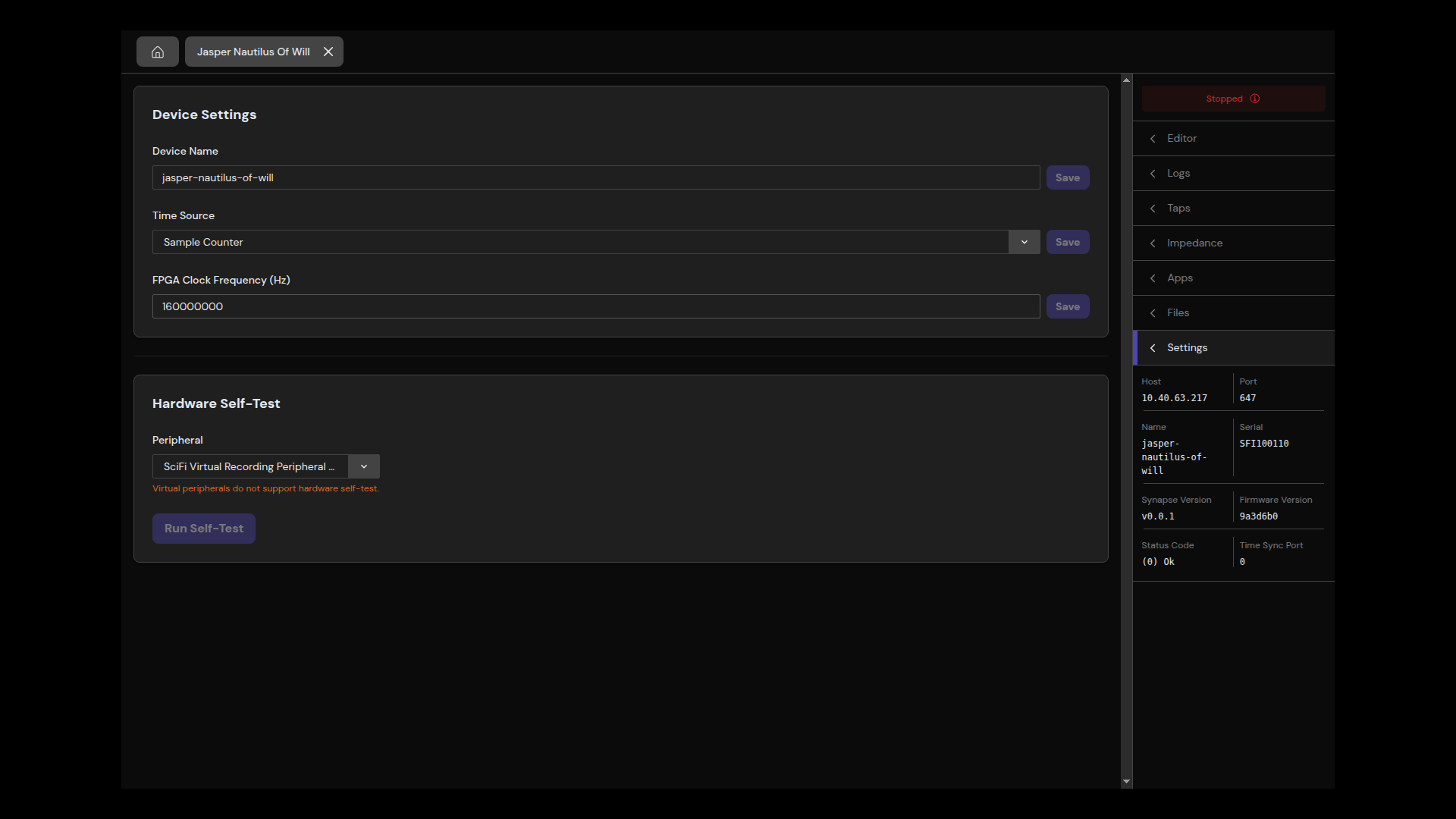
Settings schemas and behavior are defined by each Synapse device. A device can reject a value even if the GUI accepts the input.
Run a Hardware Self-Test
You test a hardware peripheral from the settings tab which will run Query(kSelfTest). Self-test is unavailable for virtual or simulated peripherals. Depending on the device, you may also need to stop active recording before running it.
API Mapping
| GUI action | Synapse operation |
|---|---|
| Load device metadata and state | Info |
| Update a signal chain | Configure |
| Start or Stop | Start, Stop |
| List Taps, measure impedance, read settings, or run self-test | Query or StreamQuery |
| Deploy or list Apps | DeployApp, ListApps |
| Read and follow logs | GetLogs, TailLogs |
| Save device settings | UpdateDeviceSettings |
| Browse, download, or delete files | SFTP or USB HTTP, not the Synapse file RPCs |