Start and Stop
Select the ▸ start button to call Start and begin executing the signal chain on the device. While running, select the ■ stop button to call Stop and halt execution.
The start button is unavailable when:
- The draft has unsaved changes.
- The device configuration changed after the draft was loaded.
- The saved configuration contains no nodes.
- A lifecycle operation is still in progress.
The signal chain continues running if you close the GUI — you must explicitly stop it.
View Data
Open Taps to list the data streams published by the running signal chain. Available taps are shown as cards at the top of the panel. A badge indicates whether the tap is Local (L) or Remote (R).
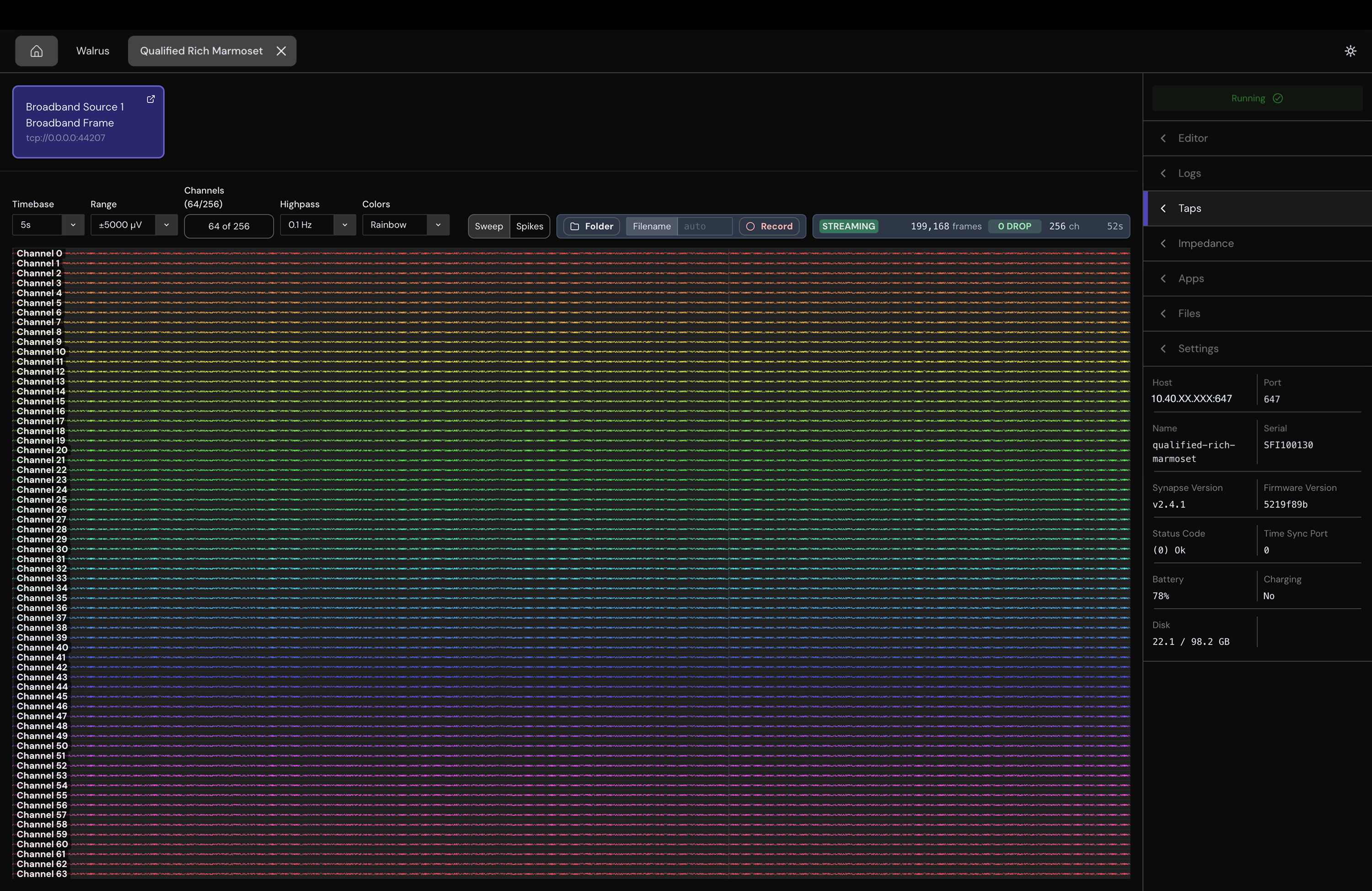
Select a local tap to open the broadband viewer, which renders a real-time multi-channel oscilloscope view. Data is displayed in microvolts (µV). Use the plot toolbar to adjust the Timebase, Range, Channels, and Colors displayed.
Select a channel label to start or stop listening to that channel through your system speakers.
Image Data
The ImageFrame viewer displays supported color, grayscale, RAW16, and YUV image streams. It reports the frame dimensions, pixel format, and frame rate.
Record Broadband Data
Use the Folder button to save an HDF5 file of your Tap stream to your computer.
While recording, the GUI shows elapsed time, estimated file size, and dropped frames. If no filename is supplied, it creates a name beginning with broadband_data_.
This records data received from a Tap on your computer. It is different from a Disk Writer, which records inside the signal chain to storage on the Synapse device. Only one GUI recording can be active at a time.
Measure Impedance
Open the Impedance tab to measure electrodes exposed by a supported physical broadband peripheral. To run a test:
- Stop the device if it is running.
- Select a peripheral.
- Select All Electrodes, a preset, or a custom range.
- Select Start New Test.
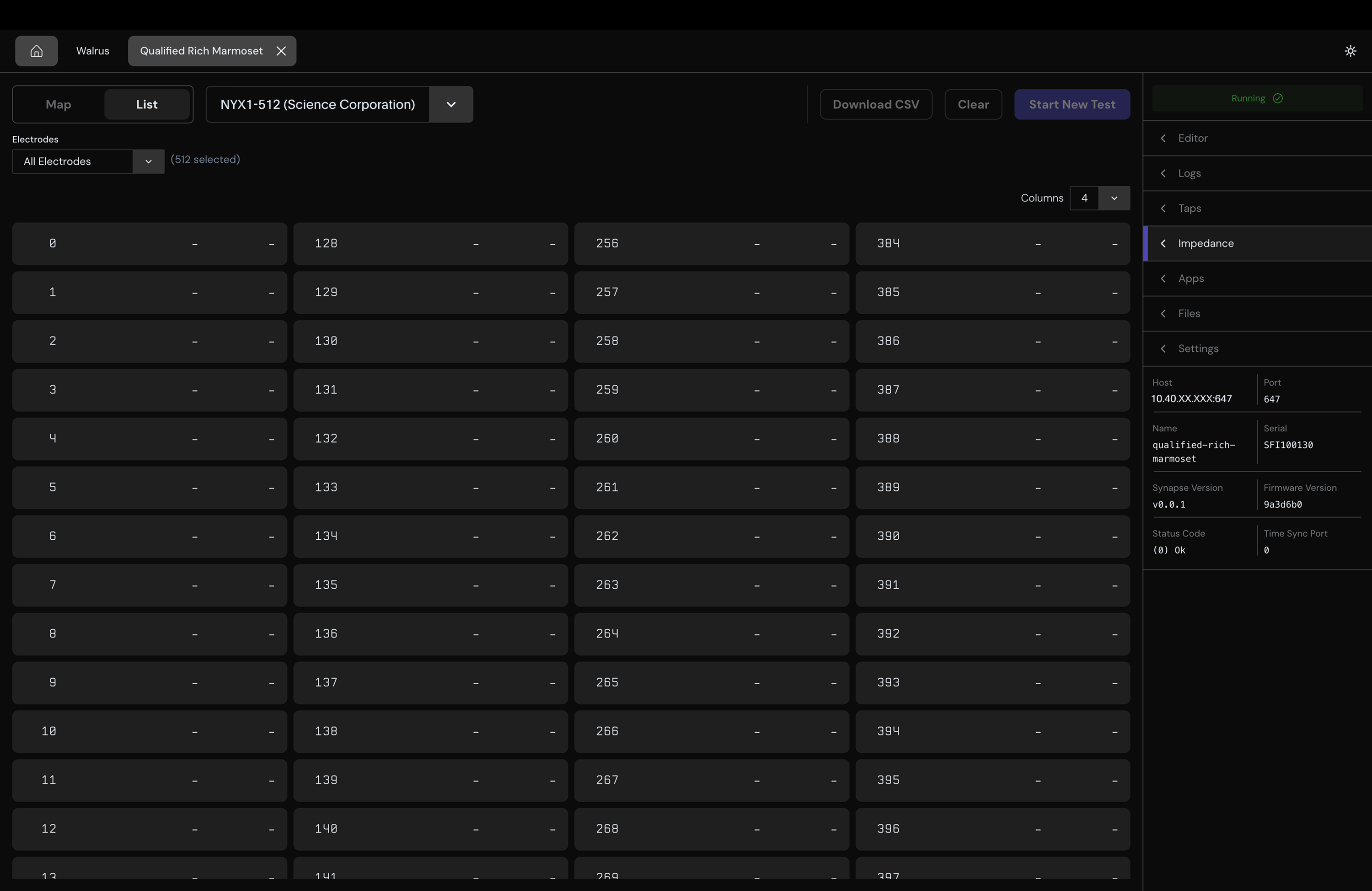
Select Download CSV to export results: electrode ID, magnitude (kΩ), phase (degrees), and status for each electrode.
Impedance testing is unavailable while the device is running. Virtual and simulated peripherals are excluded.