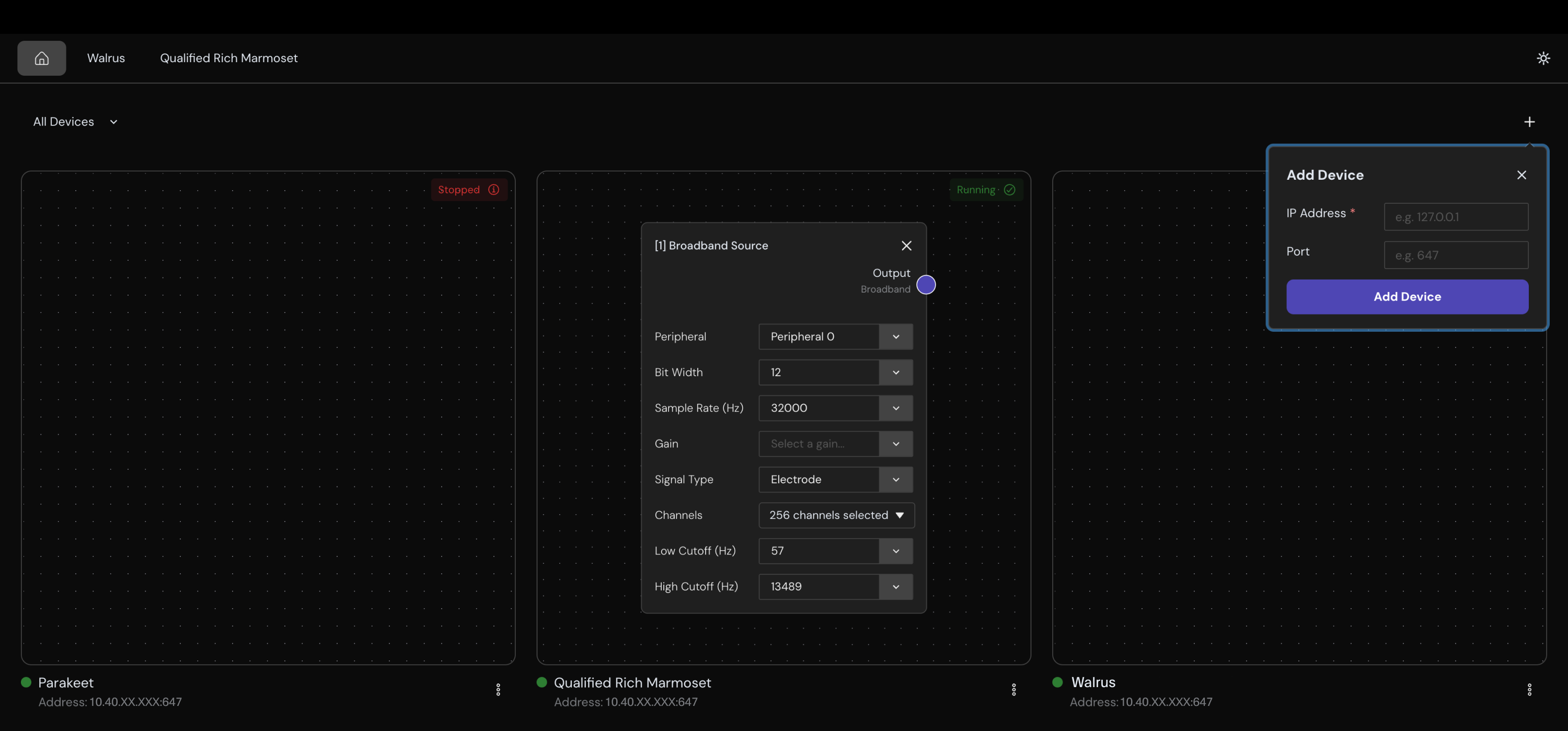
The Synapse Headstage GUI is a standalone desktop application for configuring, monitoring, and managing Synapse-enabled headstage devices. It provides a graphical alternative to the synapsectl command line tool.
- Configure a Device: build and send your signal chain, test electrode impedance, and deploy Synapse Apps
- Record From Device: start and stop recording, view live data, and download recordings
- Manage a Device: monitor device logs, update device settings, and run hardware diagnostics
System Requirements
| Requirement | Details |
|---|---|
| Operating System | Windows 10+, macOS Ventura (13.0)+, or Ubuntu 20.04 LTS+ |
| Processor | Intel Core i3 / Apple M1 or equivalent (64-bit) |
| RAM | 4 GB minimum, 8 GB recommended |
| Display | 1200 x 800 minimum resolution |
| Network | WiFi or Ethernet connection to your headstage's network |
Getting Started
Install Synapse Headstage GUI
Contact your Science representative for the right installer file for your operating system.
Connect to a Device
On launch, the Devices view displays all Synapse devices discovered on your local network. If your device does not appear, you can add it manually:
- Select the + button in the Devices toolbar.
- Enter the device IP address (you can find it on the device display under the Network tab or using
synapsectl discoverfrom the command line). The port defaults to 647 unless your device uses a non-standard configuration. - Select Add Device. The application verifies connectivity before adding the device.
- Select a device to start configuring and recording.